 PVA
Example 4.4: Animations
Read a folder of MAS files that holds many time steps as one source, build a scene from it, and render an animation that steps through the time steps.
Shortcuts are written Ctrl+…; macOS shows ⌘.
Goal
Read a folder of MAS files that holds many time steps as one source, build a scene from it, and render an animation that steps through the time steps.
Data requirement
This example needs a MAS run folder with several time steps. The public psi-data-utils sample holds a single step (002), so it cannot show time dependence. The solved session was built on a run of 25 steps whose files are named like br002127.h5, bt002127.h5 and bp002127.h5, numbered 002127 to 002151. Any folder of MAS files named <variable><six-digit number>.h5 works the same way: Directory in the session ships blank, and the first step of the example is to enter the folder’s absolute path.
Directory source versus path versus psi-data-utils
A MAS File node has three sources besides the cache. psi-data-utils (used in the earlier examples) fetches the named sample file and caches it. path reads one file at a given location. directory reads a whole folder of files that belong together: many variables, and optionally many time steps. Directory mode never downloads anything; the folder must already exist, and the path must be absolute, since ~ is not expanded.
Pattern tokens and sequences
Files in a run folder are named by variable and dump number. pattern describes that naming: {var} is the variable name and {seq:06d} is the dump number padded to six digits; the session sets {var}{seq:06d}.h5 (the default is {var}{seq:03d}.h5, for names like br002.h5). A sequence is one dump number. This folder holds sequences 2127 to 2151, one file per variable each.
On the MAS File node, Time Mode By Sequence (stored as index) and time_index (labeled Sequence) pick the sequence number itself; a number that falls between two files snaps to the nearest one, and a number outside the range on disk is an error. A blank Sequence reads the first sequence, the lowest number on disk (there is no first-sequence parameter). Time Mode By Date takes a calendar date (it needs t0, the start time of the first sequence, blank by default) and By Time takes an elapsed time in the reader’s time unit (it needs no t0); each reads the nearest file. The Sequence row is exposed as an input port on the node, which is what lets an animation or another node drive it.
Quantity cards and component dots
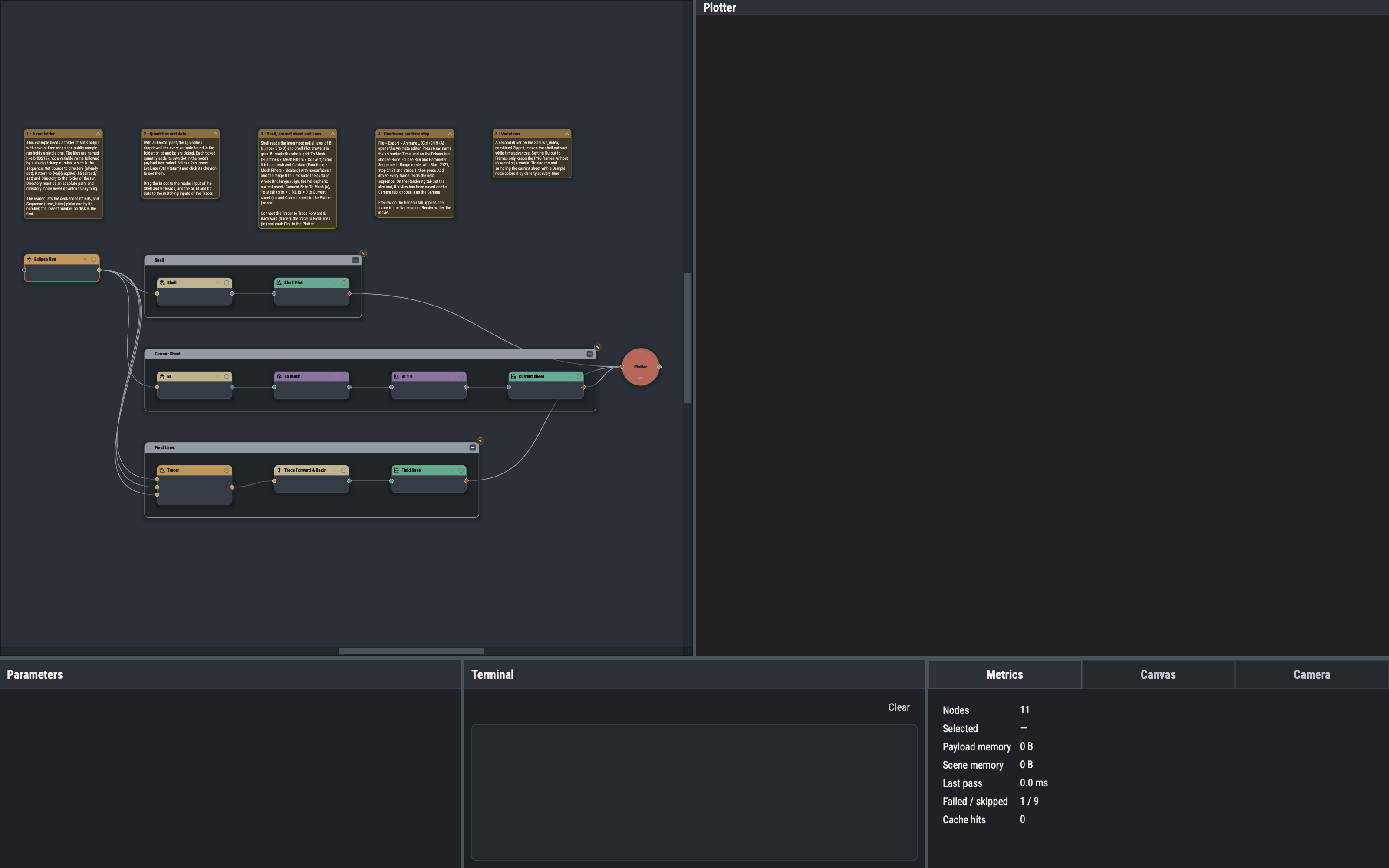
The Quantities dropdown lists every variable found in the folder; each ticked one gets a small card below it, titled with the variable name, with Quantity, Unit and Mesh Staggering fields. Each ticked variable is one dot in the node’s payload box (evaluate the node and expand it with its chevron to see them), so a single node can feed several branches. An edge from the node carries one quantity: dragging from a dot records it. Here br feeds the Shell and Br Reads, and br, bt and bp feed the Tracer. After each evaluation the node’s payload caption carries the sequence tag, such as #2127, of the file it used.
To Mesh and Contour
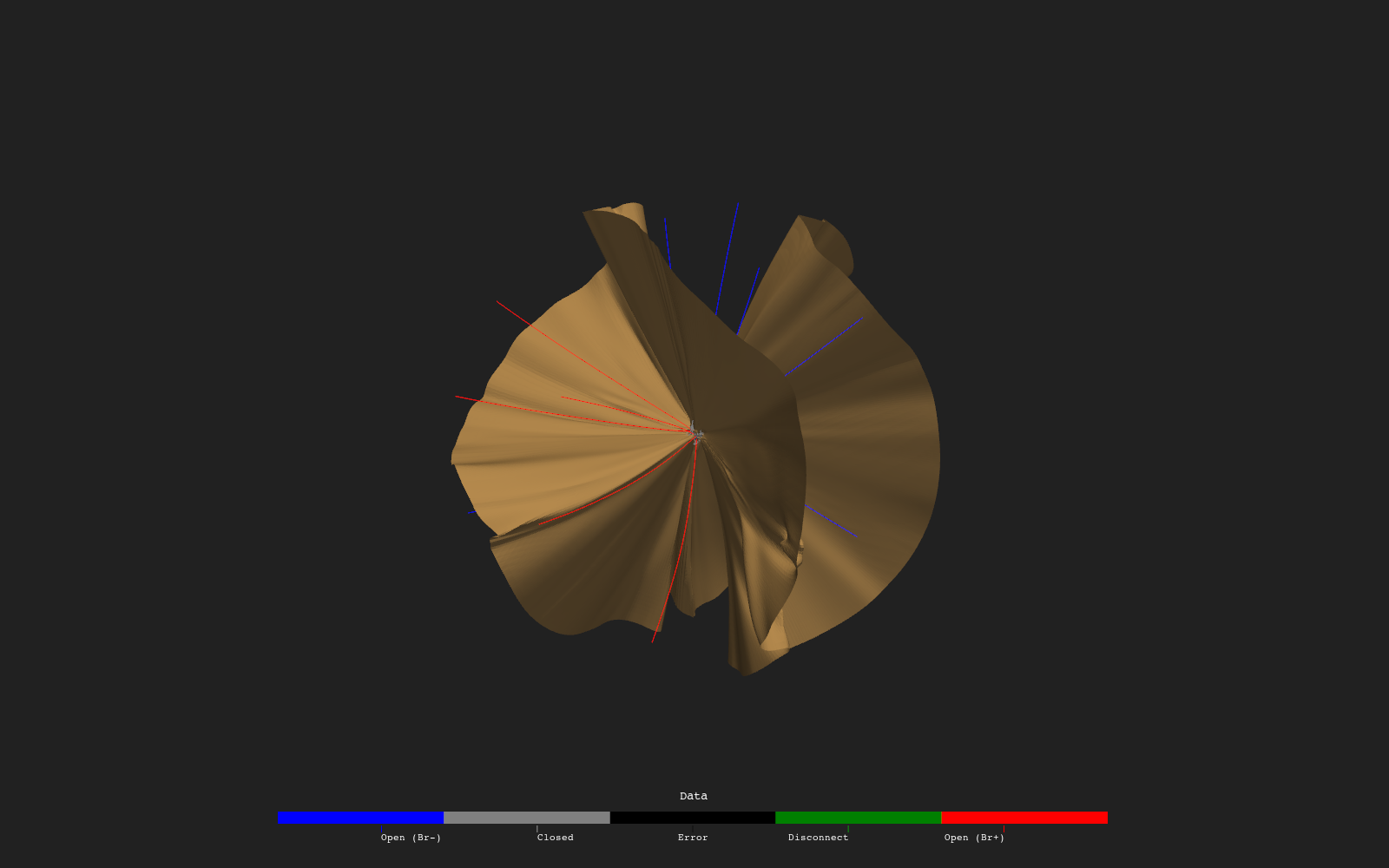
To Mesh (Functions ▸ Mesh Filters ▸ Convert) turns a grid into a mesh, which the mesh filters can work on. Contour (Functions ▸ Mesh Filters ▸ Scalars) extracts an isosurface: the surface on which the scalar equals a chosen value. With Isosurfaces 1 and a range of 0 to 0 on Br it extracts the neutral surface where the radial field changes sign, the heliospheric current sheet. The Shell is a one-index Read of the same Br at the innermost radius, in gray, and the Tracer feeds a two-way trace colored by polarity.
The Animate editor
File ▸ Export ▸ Animate… (Ctrl+Shift+A) opens one non-modal window with four tabs. An animation is a named record stored in the session; the solved session holds one, Time.
- General holds the Name, the target Plotter, Combine, the output path and Preview, which writes one frame’s driver values into the live session.
- Drivers builds the drivers. A driver targets one parameter of one node and produces a list of values: a range, a start-plus-delta progression, or an explicit list. The driver of Time is on Eclipse Run, parameter Sequence, in Range mode with Start 2127, Stop 2151 and Stride 1: 25 values, hence 25 frames. A run with more sequences than frames wanted takes a larger Stride, which keeps the frame count at or below about 100.
- Rendering sets the size (width and height, both even; 1280 by 720 here), the frame rate and the camera: the live viewport at the moment Render is pressed, or a saved camera view chosen by name. A saved view is created on the Camera tab (Views card, Save), and a name the session lacks falls back to the live viewport with a warning.
- Encoding sets the codec (
libopenh264, the default, takes a bitrate) and an Output choice of Movie, Movie and frames, or Frames only.
Combining drivers
With several drivers, Combine decides the frame sequence: Nested (every combination, the first driver slowest), Zipped (drivers advance together, equal lengths) or Sequential (each in turn). Values are applied in driver order.
Render, Cancel and headless
Render saves a temporary snapshot of the session, renders in a separate process and streams progress back, so the canvas stays interactive; Cancel stops it. The same animation renders without the interface:
pva --headless animations-solved.pyv --animate Timeafter Directory has been set in the session. With Movie and frames, or Frames only, the PNG frames are kept in a folder named <movie stem>-frames beside the movie.
Variations
- A second driver on the Shell’s
r_index, combined Zipped, moves the shell outward while time advances. - Setting Output to Frames only keeps the PNG frames and skips the movie.
- Ticking rho and sampling the current sheet with a Sample node (Functions ▸ Mesh Filters ▸ Scalars) colors it by density at every time step.
Groups ▸ Stock and File ▸ New from Template ▸ Stock hold a small set of ready-made groups and sessions: maps, readers, slices, surfaces, fieldline tracing and spacecraft trajectories. File ▸ Browse Templates… opens the full template library on the documentation site, which includes time-dependent examples built on a directory source like this one.