 PVA
Example 4.3: Export, Modify and Retrace
Cut a shell out of the magnetic field, amplify its azimuthal component, write the result to disk as three PSI files, read the files back through a MAS File and trace field lines through the modified field, beside the original lines for comparison.
Shortcuts are written Ctrl+…; macOS shows ⌘.
Goal
Cut a shell out of the magnetic field, amplify its azimuthal component, write the result to disk as three PSI files, read the files back through a MAS File and trace field lines through the modified field, beside the original lines for comparison.
Read windows as subsets
The B Read of this example uses Method value with an r window from 1.0 to 2.5 R_sun. A value window keeps the part of the grid between those two values, so everything downstream, including the export, holds a subset of the model: the shell between those radii, with every theta and phi. Tracing the exported files can therefore never leave that shell. Index windows (example 1.2) cut the same way by grid index instead of by position.
Modifying a vector: Scale and Target
Scale (Functions ▸ Unary ▸ Misc) multiplies by factor. Like every unary function it has a target that selects which arrays it acts on, and for a vector dataset the choices are the components values_r, values_theta and values_phi. With Target values_phi and Factor 3 only the azimuthal component is tripled; br and bt pass unchanged. The lines of the modified field wind more strongly around the Sun than the original ones.
The exporter rows
HDF Exporter (Export menu) writes a grid dataset as HDF5 files in the PSI layout: value datasets with three attached coordinate scales and the name, unit, order and scales attributes. Its rows:
- Separate Files (on) writes one file per value, named
<prefix><File Name><suffix>.h5. With File Name001and the prefixes br, bt and bp the files arebr001.h5,bt001.h5andbp001.h5. - Datasets has one row per value array. Dataset ID names the HDF dataset inside the file; left blank with separate files it is
Data, the only name the field-line tracer reads. Variable is the PSInameattribute, and it is what lets a reader recognize the file: it is br, bt and bp here, matching the prefixes, so that a MAS File can offer them as the quantities the Tracer expects. - Files has one row per value with the File Prefix, File Suffix, Mesh Staggering and Attributes of that file. Mesh Staggering is a three-letter code such as
hmmthat records on which half-mesh each axis of the data sits; a MAS File reading the file back uses it to place the data correctly, and blank leaves the attribute out. The rows here keep it blank. - Array Order
Fstores (np, nt, nr), the PSI standard.
The destination is the Cache Directory, the cache/exports folder under the PVA home folder. Auto Export is on, so every evaluation that changes the input writes the files again, without pressing Export.
Cache Directory and the next pass
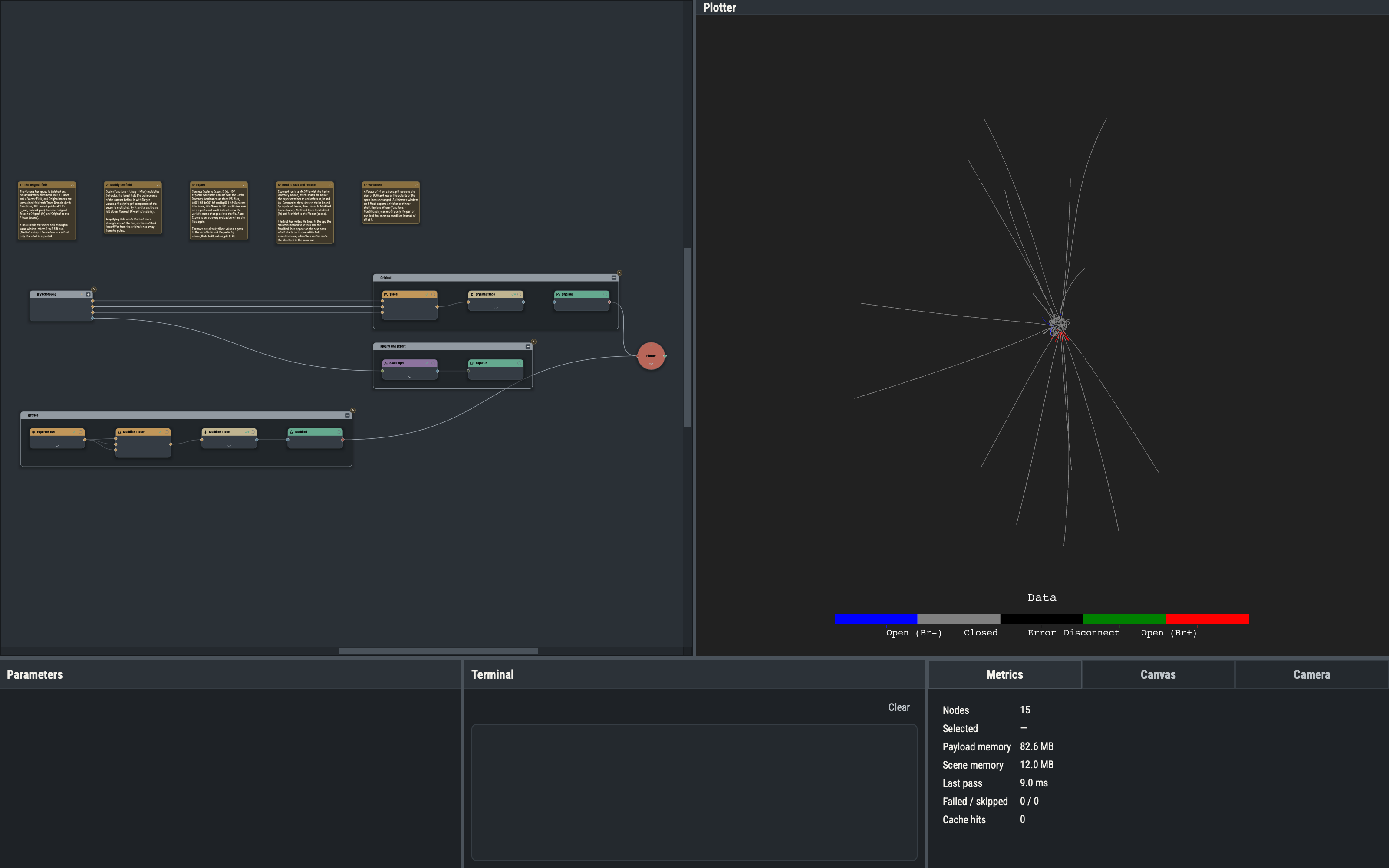
A MAS File with Source Cache Directory scans that same folder with the default file pattern and offers every variable it finds: br, bt and bp. A reader on this source watches the folder, so it re-reads as soon as the exporter replaces the files. In the app the first Run writes the three files, marks the Exported run reader to re-read and starts a second pass, which draws the Modified lines; with Auto execution on that pass starts by itself. A headless render writes and reads back within one run.
Retrace
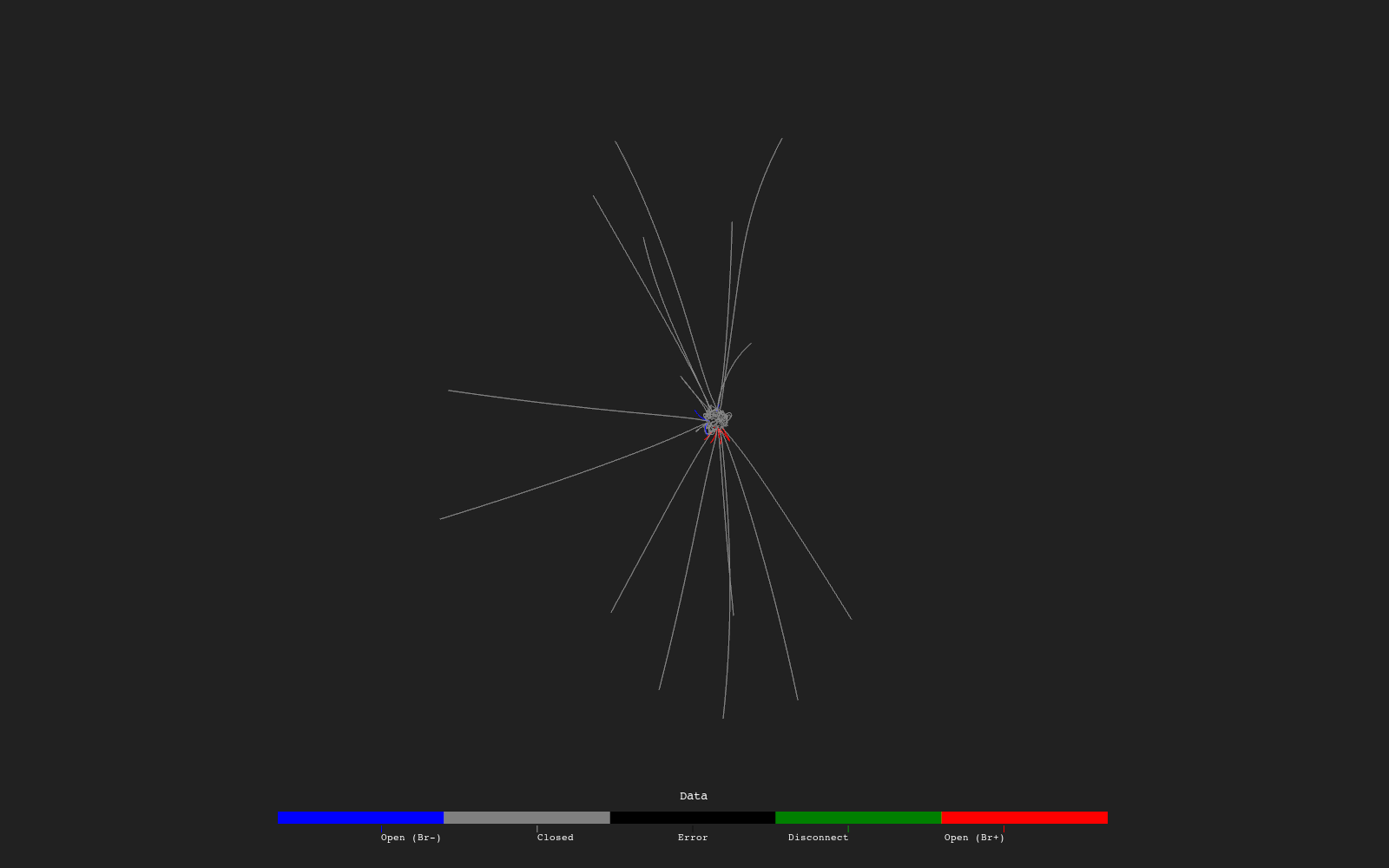
The Modified branch is the ordinary tracing chain of example 2.1: three dots of Exported run into the br, bt and bp inputs of a Tracer, then Trace Domain (both directions, polarity coloring, the default lattice of 100 launch points at 1.05 R_sun) and a Plot. The Original branch is the same chain on the unmodified files, drawn solid gray. Because the exported shell ends at 2.5 R_sun, Modified lines end there, while Original lines run on to the outer boundary.
Variations
- A Factor of −1 on
values_phireverses the sign of Bphi; open lines keep their polarity, since that depends on Br. - A different
rwindow on B Read exports a thicker or thinner shell. - Replace Where (Functions ▸ Conditionals) modifies only the part of the field that meets a condition instead of all of it.
Example 4.4 steps through a series of files in time and renders the result as a movie.