
Note
Go to the end to download the full example code.
Observer Position and Focus#
This example demonstrates the
observer_position and
observer_focus properties — the
primary interface for positioning the camera in spherical coordinates.
Both properties accept and return spherical coordinates \((r, heta, \phi)\) where :math:` heta` is the colatitude (measured from solar north) and \(\phi\) is the longitude. Setting either property immediately re-renders the scene.
import numpy as np
from pyvisual import Plot3d
Positioning the Observer#
The default camera position is set by PyVista’s auto-fitting algorithm.
observer_position lets you
override it with a specific \((r, \theta, \phi)\) location. Here the
observer is placed at \(r = 10\,R_\odot\), \(\theta = \pi/4\)
(45° from the north pole), and \(\phi = \pi/4\) (45° longitude).
plotter = Plot3d(off_screen=True, window_size=(500, 500))
plotter.add_sun()
plotter.add_longlat_lines()
plotter.observer_position = 10, np.pi / 4, np.pi / 4
plotter.show()
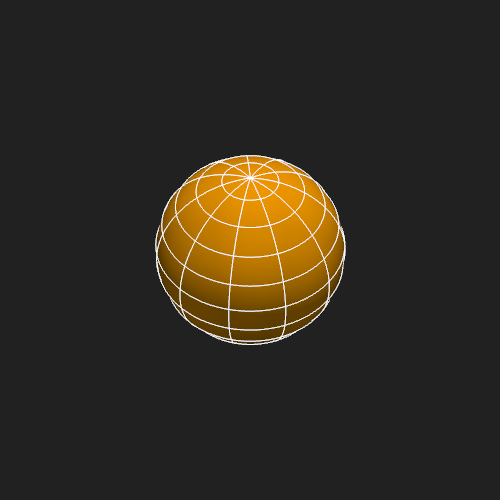
Equatorial View#
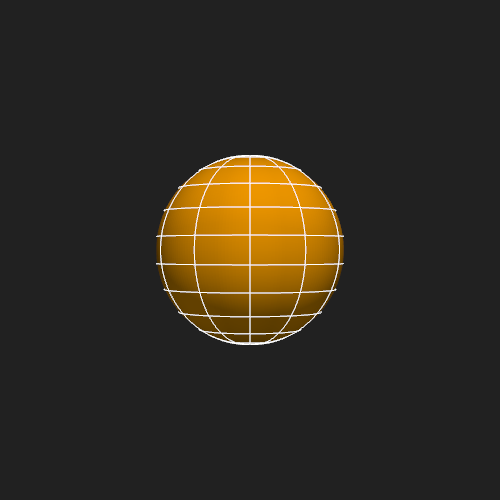
Moving the observer to the equatorial plane (\(\theta = \pi/2\)) gives a side-on view of the solar equator — a perspective typical of coronagraph imagery from an ecliptic observer.
plotter = Plot3d(off_screen=True, window_size=(500, 500))
plotter.add_sun()
plotter.add_longlat_lines()
plotter.observer_position = 10, np.pi / 2, 0
plotter.show()
Reading Back the Observer State#
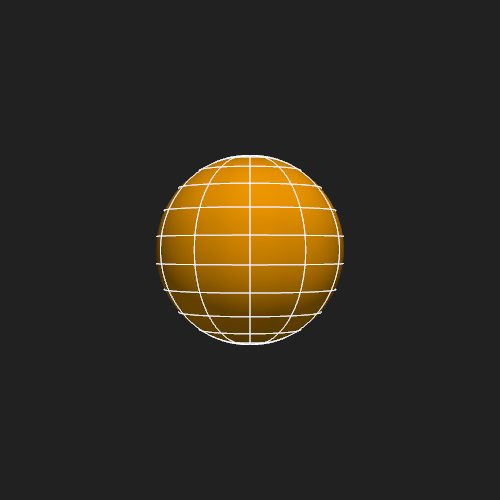
The getter returns a
SphericalCoordinate named tuple, providing
field-name access to r, t, and p.
plotter = Plot3d(off_screen=True, window_size=(500, 500))
plotter.add_sun()
plotter.add_longlat_lines()
plotter.observer_position = 10, np.pi / 2, 0
pos = plotter.observer_position
print(f"r = {pos.r:.2f} R_sun")
print(f"t = {pos.t:.4f} rad  ({np.rad2deg(pos.t):.1f} deg colatitude)")
print(f"p = {pos.p:.4f} rad  ({np.rad2deg(pos.p):.1f} deg longitude)")
plotter.show()
r = 10.00 R_sun
t = 1.5708 rad  (90.0 deg colatitude)
p = 0.0000 rad  (0.0 deg longitude)
Total running time of the script: (0 minutes 1.417 seconds)