add_spline#
- Plot3d.add_spline(r, t, p, data=None, /, dataid='Data', **kwargs)#
Add a single spline (polyline) through spherical coordinate points.
- Parameters:
- r, t, p
ArrayLike 1-D coordinate arrays of identical length defining the spline path.
- data
ArrayLike|None, optional Per-point scalar values. Default is
None(solid color).- dataid
str, optional Name for the scalar array. Default is
'Data'.- **kwargs
Additional keyword arguments forwarded to
add_mesh().
- r, t, p
- Returns:
- out
pyvista.Actor The rendered spline actor.
- out
- Raises:
ValueErrorIf
r,t, orpis not 1-D.
See also
add_splines()For rendering bundles of multiple splines from higher-dimensional coordinate arrays.
Examples
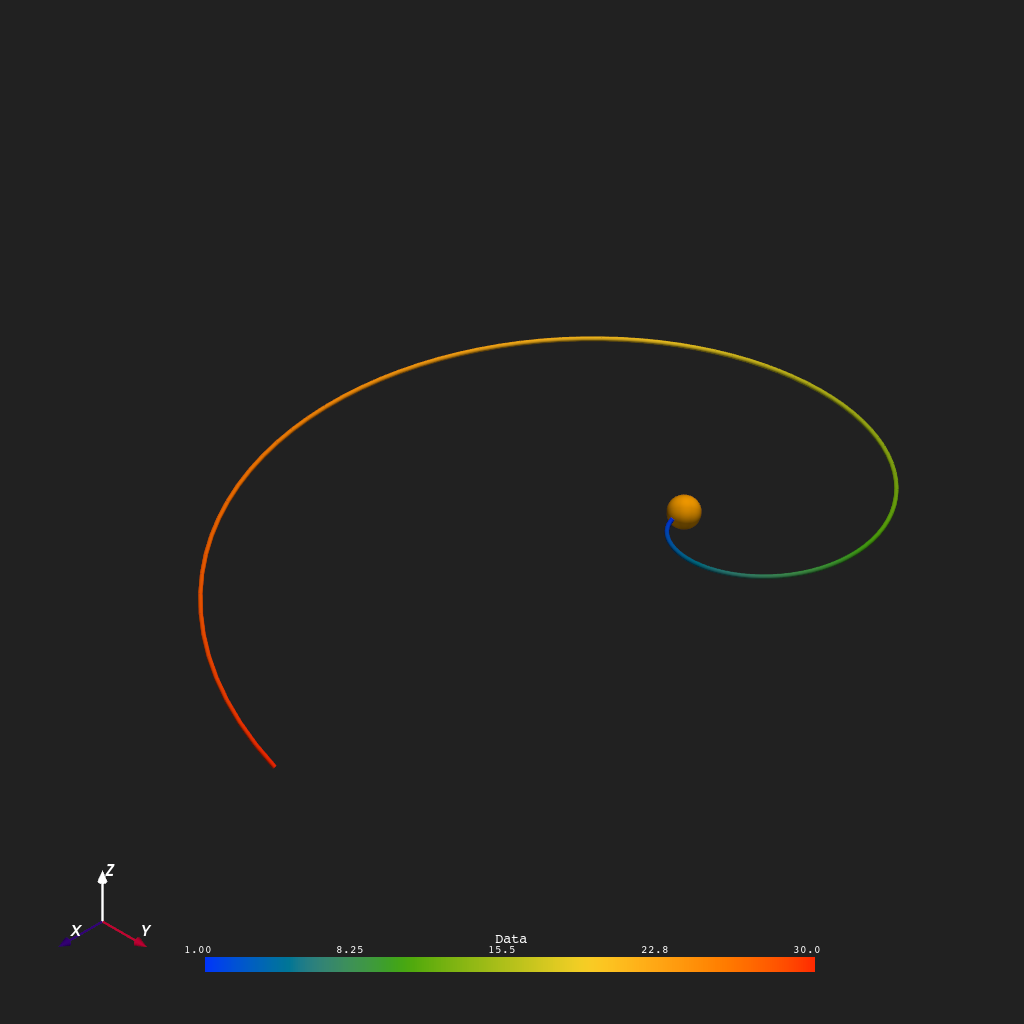
An equatorial Archimedean spiral tracing outward from \(r = 1\,R_\odot\) to \(r = 30\,R_\odot\) over one full longitude sweep (\(\phi \in [0, 2\pi]\)), colored by radial distance.
>>> from pyvisual import Plot3d
>>> import numpy as np
>>>
>>> r = np.linspace(1, 30, 100)
>>> t = np.repeat(np.pi/2, 100)
>>> p = np.linspace(0, 2*np.pi, 100)
>>>
>>> plotter = Plot3d()
>>> plotter.show_axes()
>>> plotter.add_sun()
>>> plotter.add_spline(r, t, p, r, line_width=5)
>>> plotter.show()