
Note
Go to the end to download the full example code.
Plotting Points and Splines#
This example demonstrates add_point(),
add_points(),
add_spline(), and
add_splines() — the methods for
rendering individual points, point clouds, single polyline paths, and bundles
of splines from spherical coordinate arrays.
import numpy as np
from pyvisual import Plot3d
Single Point#
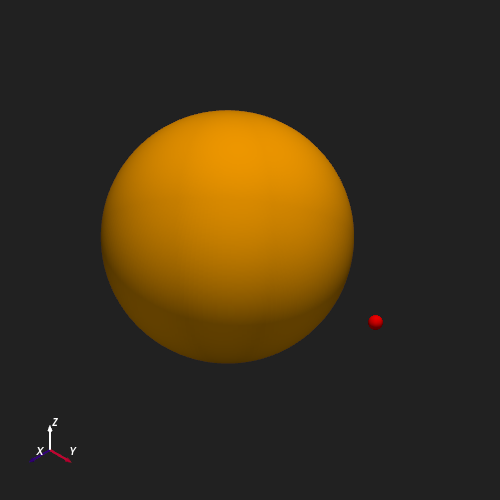
add_point() renders a single
location given as \((r, \theta, \phi)\) scalars. Here we place a marker
at \(r = 1.5\,R_\odot\) on the equatorial plane
(\(\theta = \pi/2\)) at 90° longitude (\(\phi = \pi/2\)).
plotter = Plot3d()
plotter.add_sun()
plotter.show_axes()
plotter.add_point(1.5, np.pi / 2, np.pi / 2, color='red', point_size=15)
plotter.show()
Point Cloud#
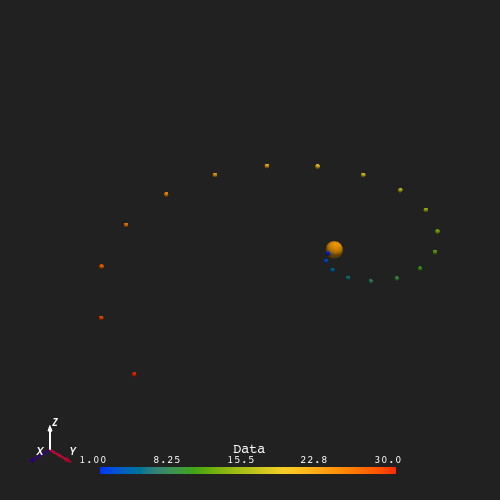
add_points() accepts arrays of
identical shape and renders them as an unconnected point cloud. Below, 20
points are placed along the equatorial plane (\(\theta = \pi/2\)),
spiraling outward from \(r = 1\,R_\odot\) to \(r = 30\,R_\odot\)
across a full longitude sweep. The data argument (here the radial
distance \(r\)) controls the color mapping.
r = np.linspace(1, 30, 20)
t = np.repeat(np.pi / 2, 20)
p = np.linspace(0, 2 * np.pi, 20)

plotter = Plot3d()
plotter.show_axes()
plotter.add_sun()
plotter.add_points(r, t, p, r, point_size=5)
plotter.show()
Single Spline#
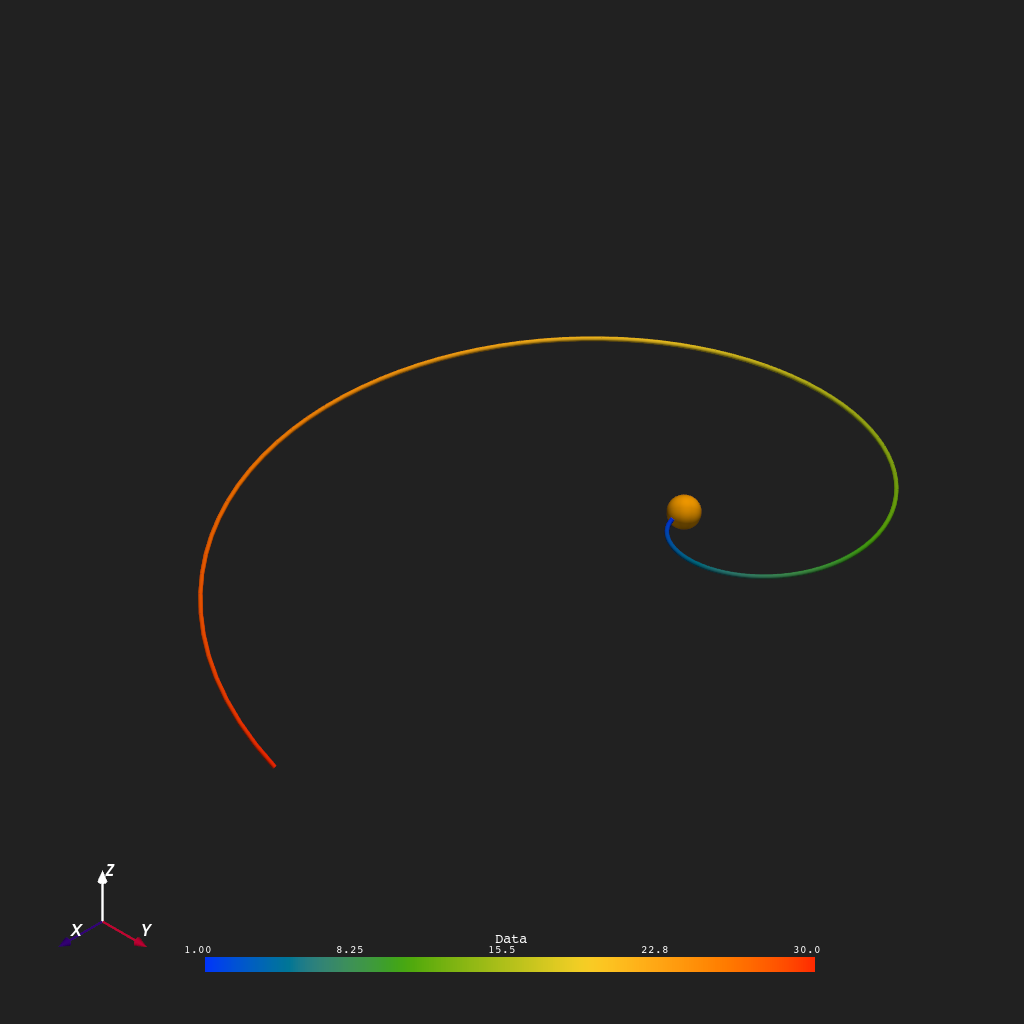
add_spline() draws a single
line through a sequence of \((r, \theta, \phi)\) points. The example
below traces an equatorial Archimedean spiral: the longitude \(\phi\)
increases uniformly as the radial distance \(r\) grows from
\(1\,R_\odot\) to \(30\,R_\odot\), approximating a Parker spiral
in the ecliptic plane. The spline is colored by \(r\).
r = np.linspace(1, 30, 100)
t = np.repeat(np.pi / 2, 100)
p = np.linspace(0, 2 * np.pi, 100)

plotter = Plot3d()
plotter.show_axes()
plotter.add_sun()
plotter.add_spline(r, t, p, r, line_width=5)
plotter.show()
Bundle of Splines#
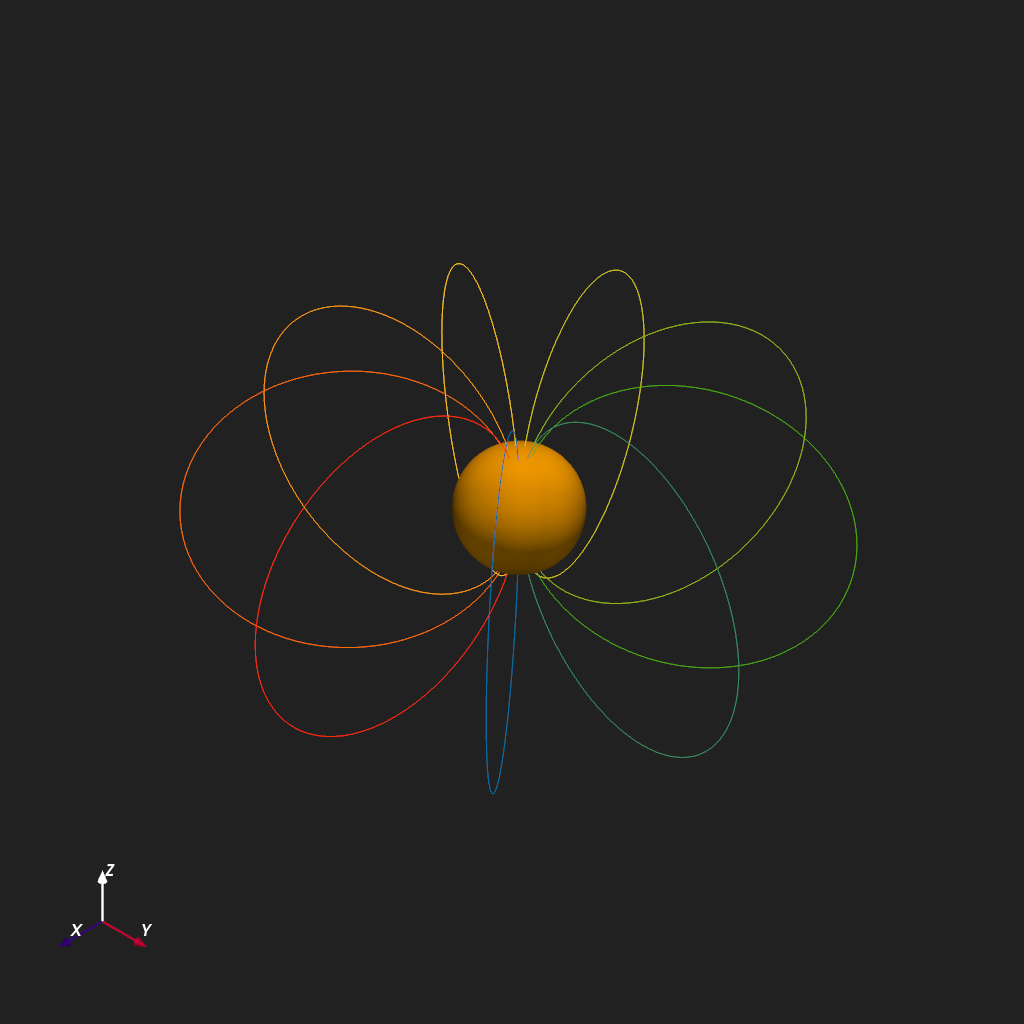
add_splines() renders multiple
splines from N-D coordinate arrays. Here, 10 meridional arcs connect the
north and south poles at evenly spaced longitudes, tracing the surface of a
sphere of radius \(5\sin\theta\,R_\odot\). The coordinate arrays have
shape (10, 100); axis=1 declares that axis 1 (length 100) traces
each individual spline path and axis 0 (length 10) enumerates the distinct
meridians. Each spline is colored by its index.
n_lines, n_pts = 10, 100
r = np.tile(5 * np.sin(np.linspace(0, np.pi, n_pts)), (n_lines, 1))
t = np.tile(np.linspace(0, np.pi, n_pts), (n_lines, 1))
p = np.tile(np.linspace(0, 2 * np.pi, n_lines)[:, None], (1, n_pts))
data = np.arange(n_lines)

plotter = Plot3d()
plotter.show_axes()
plotter.add_sun()
plotter.add_splines(r, t, p, data, axis=1, show_scalar_bar=False)
plotter.show()
Total running time of the script: (0 minutes 1.840 seconds)