
Note
Go to the end to download the full example code.
Arithmetic and NumPy Ufunc Support#
SphericalMesh (and
CartesianMesh) inherit a full arithmetic suite
from _BaseFrameMesh. Standard Python
operators (+, -, *, /, **, etc.) and NumPy ufuncs such as
numpy.log10 and numpy.sqrt operate element-wise on the active
scalar field and return a new mesh of the same type with the result as the
active scalar. The coordinate arrays are never modified — only the data
changes.
import numpy as np
from pyvisual import Plot3d
from pyvisual.core.mesh3d import SphericalMesh
from pyvisual.utils.data import fetch_datasets

br_file = fetch_datasets("cor", "br").cor_br
Build a Mesh#
We initialize a SphericalMesh from the HDF file path, which
triggers the file-path dispatch path (see Constructing a SphericalMesh
for details on the three construction paths.
mesh = SphericalMesh(br_file)
mesh
Radial Flux Scaling#
Multiplying by \(r^2\) removes the geometric falloff and converts \(B_r\) to the signed radial flux \(B_r r^2\). The coordinate arrays are unchanged; only the active scalar is updated.
mesh_r2 = mesh * mesh.r[:, None, None] ** 2
print(f"Br     range: [{mesh.data.min():.4f}, {mesh.data.max():.4f}]")
print(f"Br r^2 range: [{mesh_r2.data.min():.4f}, {mesh_r2.data.max():.4f}]")

plotter = Plot3d()
plotter.show_axes()
plotter.add_mesh(mesh_r2, cmap='seismic', clim=(-1, 1), opacity=0.5, show_scalar_bar=False)
plotter.show()
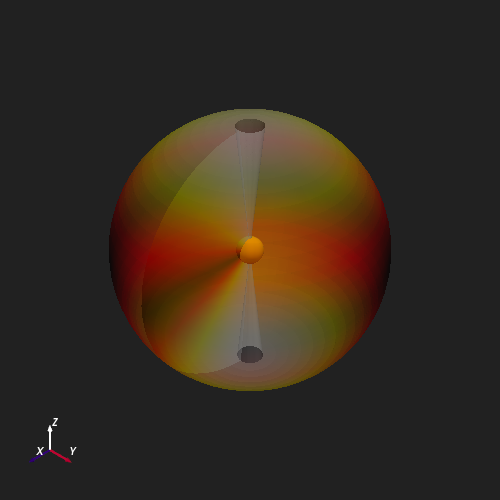
Br     range: [-47.3395, 47.9679]
Br r^2 range: [-47.3118, 47.9399]
NumPy Ufunc: np.log10#
The __array_ufunc__() hook lets
any single-output NumPy ufunc act directly on the mesh.
numpy.log10 applied to \(B_r r^2\) converts the field to a
logarithmic scale.
To account for the sign of \(B_r r^2\), we take the absolute value before applying
the logarithm using the python built-in abs() function, which also supports the
mesh type.
mesh_log = np.log10(abs(mesh_r2))
print(f"log10(|Br r^2|) range: [{mesh_log.data.min():.3f}, {mesh_log.data.max():.3f}]")

plotter = Plot3d()
plotter.show_axes()
plotter.add_mesh(mesh_log, cmap='rainbow', clim=(-1, 1), opacity=0.5, show_scalar_bar=False)
plotter.show()
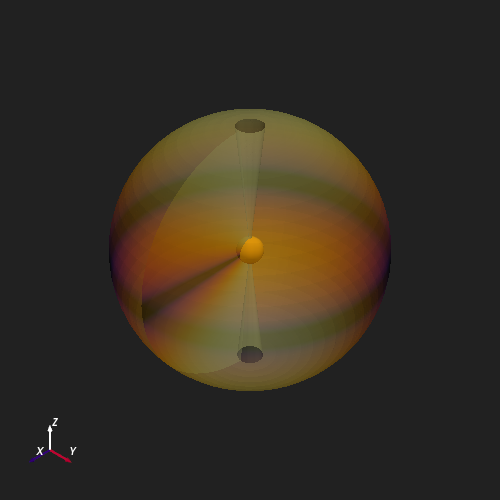
log10(|Br r^2|) range: [-6.870, 1.681]
Total running time of the script: (0 minutes 4.414 seconds)