
Note
Go to the end to download the full example code.
Saving and Restoring Camera Views#
This example demonstrates how to capture the current camera state via
observer_orientation and restore
it exactly — a useful workflow when you want to reproduce a specific viewpoint
across multiple plot sessions.
The ObserverOrientation named tuple returned
by the getter stores the position angle \(p_\mathrm{angle}\) (roll about
the line of sight, in degrees). Combined with
observer_position, this fully
describes the camera state in a serialisable form.
import numpy as np
from pyvisual import Plot3d
Live Camera State Readout#
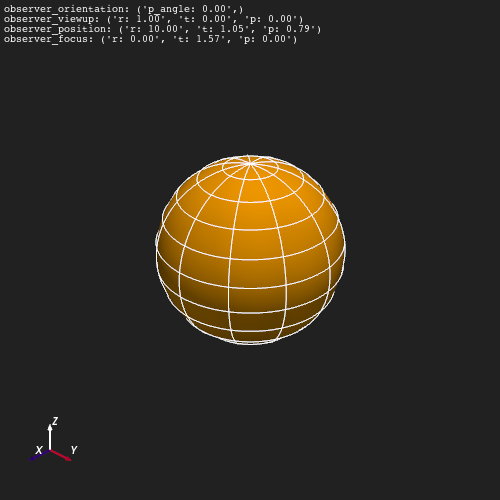
add_camera_update() adds a live
text overlay to the viewport that updates whenever the camera state changes.
Passing include='spherical' limits the display to the spherical observer
fields (position, focus, orientation, and view-up direction).
plotter = Plot3d()
plotter.add_sun()
plotter.add_longlat_lines()
plotter.show_axes()
plotter.add_camera_update(include='spherical', font_size=8)
plotter.observer_position = 10, np.pi / 3, np.pi / 4
plotter.show()
Capturing and Restoring a View#
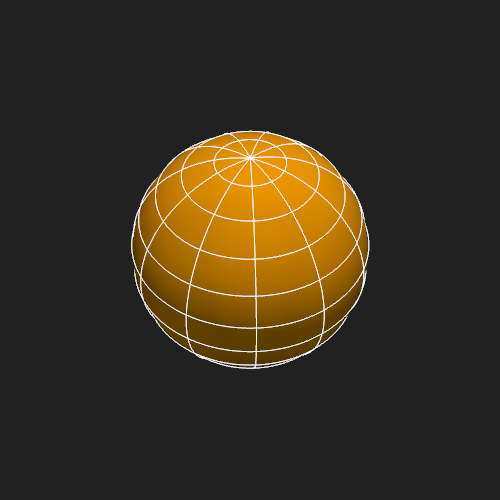
Read the observer state after setting it programmatically, then pass the same values back to reproduce the view in a new plotter instance.
plotter = Plot3d()
plotter.add_sun()
plotter.add_longlat_lines()
plotter.observer_position = 8, np.pi / 4, np.pi / 6

saved_position = plotter.observer_position
saved_orientation = plotter.observer_orientation
print(f"Saved position    : r={saved_position.r:.2f}, "
      f"t={saved_position.t:.3f}, p={saved_position.p:.3f}")
print(f"Saved orientation : p_angle={saved_orientation.p_angle:.2f} deg")


plotter.observer_position = saved_position
plotter.observer_orientation = saved_orientation.p_angle
plotter.show()
Saved position    : r=8.00, t=0.785, p=0.524
Saved orientation : p_angle=0.00 deg
Total running time of the script: (0 minutes 1.732 seconds)