 PVA
Guide / Chapter 6
Templates
A template is a complete data pipeline that does one dedicated task: load a run, cut slices, trace field lines, compare a spacecraft track with the model. In that sense a template is an app within PVA. It is a whole session, saved so that File ▸ New from Template starts a fresh session from it. The stock templates are the apps that ship with PVA; the template store on this site shows every template and group, shipped or not, with its graph. Groups are parts; templates are products: to reuse a fragment inside any session, save a group instead.
Stock and saved templates
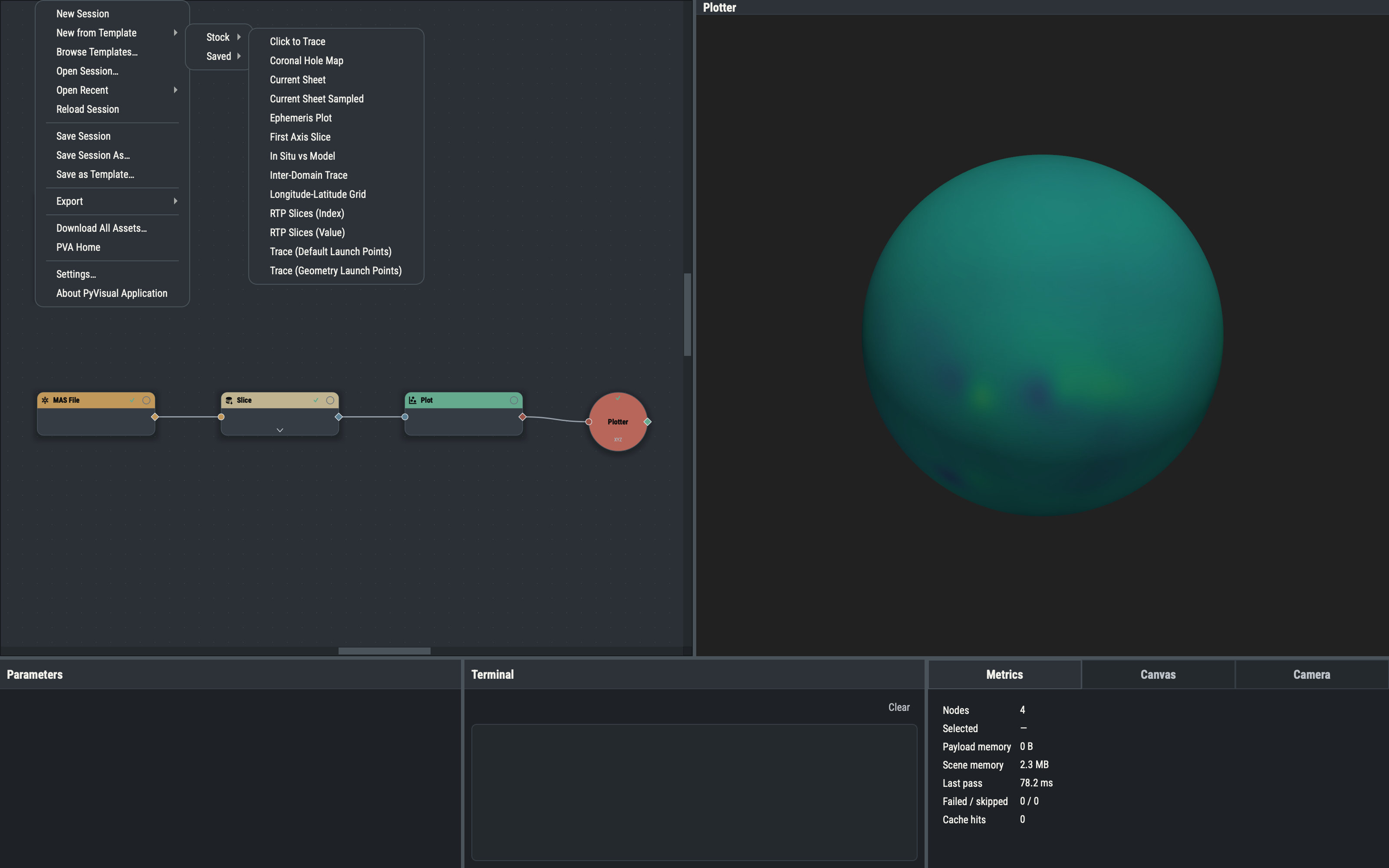
File ▸ New from Template has two submenus. Stock is a flat list of the templates that ship with PVA. File ▸ Browse Templates… opens the template store, which also holds the library templates that do not ship; download one and open it, or place it in the templates folder. Saved holds your own templates from the templates folder of the PVA home; a subfolder becomes a submenu and entries are labeled with the file name. Both lists are rebuilt from disk each time the menu opens.
Each card and page in the store shows the oldest PVA that opens the file, such as PVA 1.7.0+. The number is the file’s version, found by loading the file under every tagged release and taking the first that accepts it, so a file stamped 1.7.0 uses a node or parameter that earlier releases lack. A PVA at or above that version opens the file; an older one refuses it (see Version compatibility).
Templates are meant to be adapted. Load one, point its reader at your own run, change the parameters, and either save the result as a session or, to keep your variant for later, as a template of your own. Because a template is just a session, everything in Sessions applies to it: the same recipe-only file format, the same version gate, and the same sidecars for Snapshot, Accumulator and event-holder nodes.
What loading does
Choosing a template asks about unsaved changes (see Sessions), then loads the file as a session that was never saved. The title stays untitled, Save Session asks for a location, the session counts as modified until you save, and the file does not join Open Recent. Evaluation is requested as for any load, so the pipeline starts computing at once. A template that cannot be read reports the reason in the Terminal.
Saving a template
File ▸ Save as Template… (CtrlAltS) asks for a name and writes the live session to templates/<name>.pyv in the PVA home, asking before it replaces an existing file. The live session is untouched: its file, title and unsaved-changes state stay as they were. Snapshot, Accumulator and event-holder sidecars are written beside the template as for any session. The template appears under Saved the next time the menu opens. To remove or rearrange saved templates, edit the templates folder directly.
A template as an app: opening HDF files
Opening an .hdf or .h5 file at launch is the clearest case of a template acting as an app. PVA treats the file as a MAS data file and starts a new untitled session from the stock First Axis Slice template, with its MAS File node pointed at the file, then runs a pass. The Terminal logs Opened <path> with the First Axis Slice template. See Opening files at launch.